
CLASS OVERVIEW
Class Overview
FSL SeniorNet at Family Service League, Olsten Family Center
790 Park Avenue, Huntington, NY 11743
1-631-470-6757
Computer technology made easy with SeniorNet!
STUFF TO KNOW
Registration is open until 10 AM sharp one day before the start of a class. To participate in our classes register and pay online with a credit or debit card. If you prefer to pay by check or cash, please contact our office at 631-470-6757.
If the class is sold out and you would like to receive an email if/when the class is offered again, please send an email to fslseniornet@fsl-li.org. Be sure to include your name and contact information as well as the name of the class you are interested in.
Fall Harvest: Pick Your Class
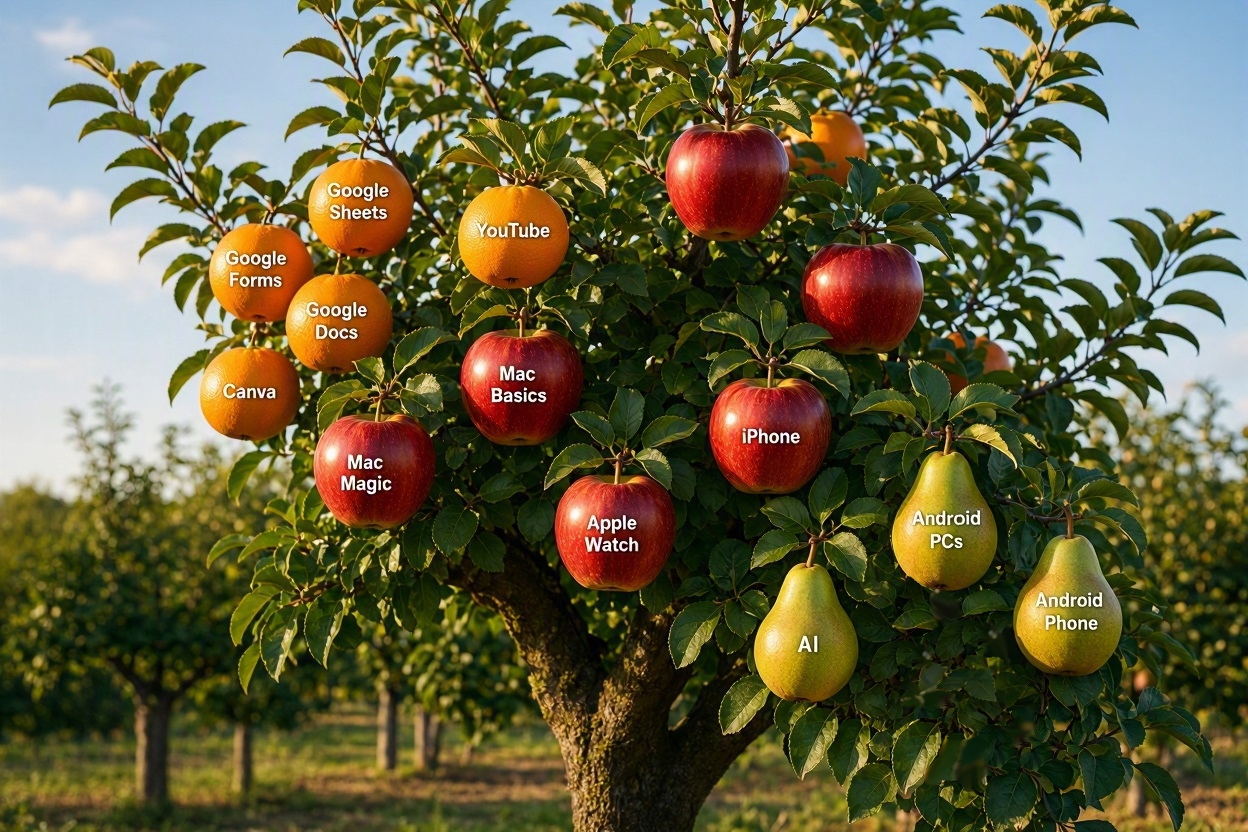
FALL REGISTRATION OPENS SEPTEMBER 13
- INTRODUCTORY CLASSES
- PC Computing Basics 1 on Oct 19, 26, Nov 2, 9
- PC Computing Basics 2 on Nov 30, Dec 7, 14, 21
- THE COMPUTER
- Mac Magic: Intro to Apple Intelligence on Oct 21, 28
- Mac Computer Basics on Nov 5, 12, 19
- MOBILE DEVICES
- Apple Watch: What You Want to Know on Oct 22, 29
- iPhone: An Introduction on Oct 14, 21, 28 Nov 4
- Android Phone Oct 27, on Nov 3, 10, 17
- Passport Parking & MTA Train Time Apps on Nov 5 NEW WORKSHOP
- MEDIA
- Canva: An Introduction and More on Nov 23, 30, Dec 7, 14
- THE INTERNET
- Artificial Intelligence: Hands on Oct 26
- Google Forms on Nov 18
- Google Sheets: Basics on Nov 24, Dec 1, 8
- Available for Tech Help
- INTRODUCTORY CLASSES
- Chromebook: Basics and More on Oct 21, 26, 28
- MOBILE DEVICES
- Apple Passwords App on on Oct 27 NEW WORKSHOP
- THE INTERNET
- Google Docs: Advanced on Nov 2, 5, 12
- Google Forms on Nov 16
- Artificial Intelligence: Hands On on Nov 18
- Available for Tech Help
- INTRODUCTORY CLASSES
- PC Computing Basics 2 on Nov 4, 18, 25, Dec 2
- APPS – NEW WORKSHOPS
- Apple Passwords App on Nov 4
- Available for Tech Help
- INTRODUCTORY CLASSES
- Google Docs: Beginners on Nov 10, 17
- MEDIA
- YouTube starts on Nov 24, Dec 1
- Available for Tech Help
Important Stuff To Know
ALL CLASSES:
Registration is open until 10 AM sharp one day before the start of a class.
To participate in our classes, register and pay online with a credit or debit card. If you prefer to pay by check or cash, contact the office at 631-470-6757, or register in person at Open House in Huntington, Bay Shore, & Blue Point. Reminder emails are sent by fslseniornet@fsl-li.org two days before the first class in a series.
ONLINE CLASSES:
To participate in our online courses, you need to download Zoom on your computing device*. The Zoom link will be included in the confirmation sent by ezregister.com. The teacher will also send the Zoom link and manual before the class.
WEBINARS ARE ONLINE:
Registration is open until one hour prior to the webinar’s start time.
The Zoom link will be included in the confirmation sent by ezregister.com. Reminder emails are sent by fslseniornet@fsl-li.org two days before the webinar. Additionally, the teacher will also send the Zoom link and handout the day before the webinar.
SEMINARS ARE IN-PERSON & LIBRARY HOSTED:
Registration is managed by our host library. Their registration link will be provided on their website, our email blasts, and our webpage.
SOLD OUT AND WISH LIST:
Please call 631-470-6757 or send an email to fslseniornet@fsl-li.org to receive an email with information as to when the course (webinar, seminar, class or workshop) is offered again. Please include your name and contact information as well as the name of the course you are interested in.
ZOOM HELP IS AVAILABLE:
If you need instructions on downloading and using Zoom contact our Computer Help Desk.