
BAY SHORE ANNEX
SeniorNet’s Bay Shore Annex Classes
FSL SeniorNet at Family Service League, South Shore Iovino Family Center
1444 Fifth Avenue, Bay Shore, NY 11706 1-631-647-3100
Computer technology made easy with SeniorNet!
Class Calendar

Click the Calendar above to VIEW the dates of our Bay Shore Classes.
To REGISTER, scroll down to the event list below
and click the registration button.
For Registration Tips click here.
STUFF TO KNOW
Registration is open until 10 AM sharp one day before the start of a class. To participate in our classes register and pay online with a credit or debit card. If you prefer to pay by check or cash, contact the office at 631-470-6757, or register in person at OPEN HOUSE at Huntington, Bay Shore, and Blue Point.
If the class is sold out and you would like to receive an email if/when the class is offered again, please send an email to fslseniornet@fsl-li.org. Be sure to include your name and contact information as well as the name of the class you are interested in.
Fall Harvest: Pick Your Class
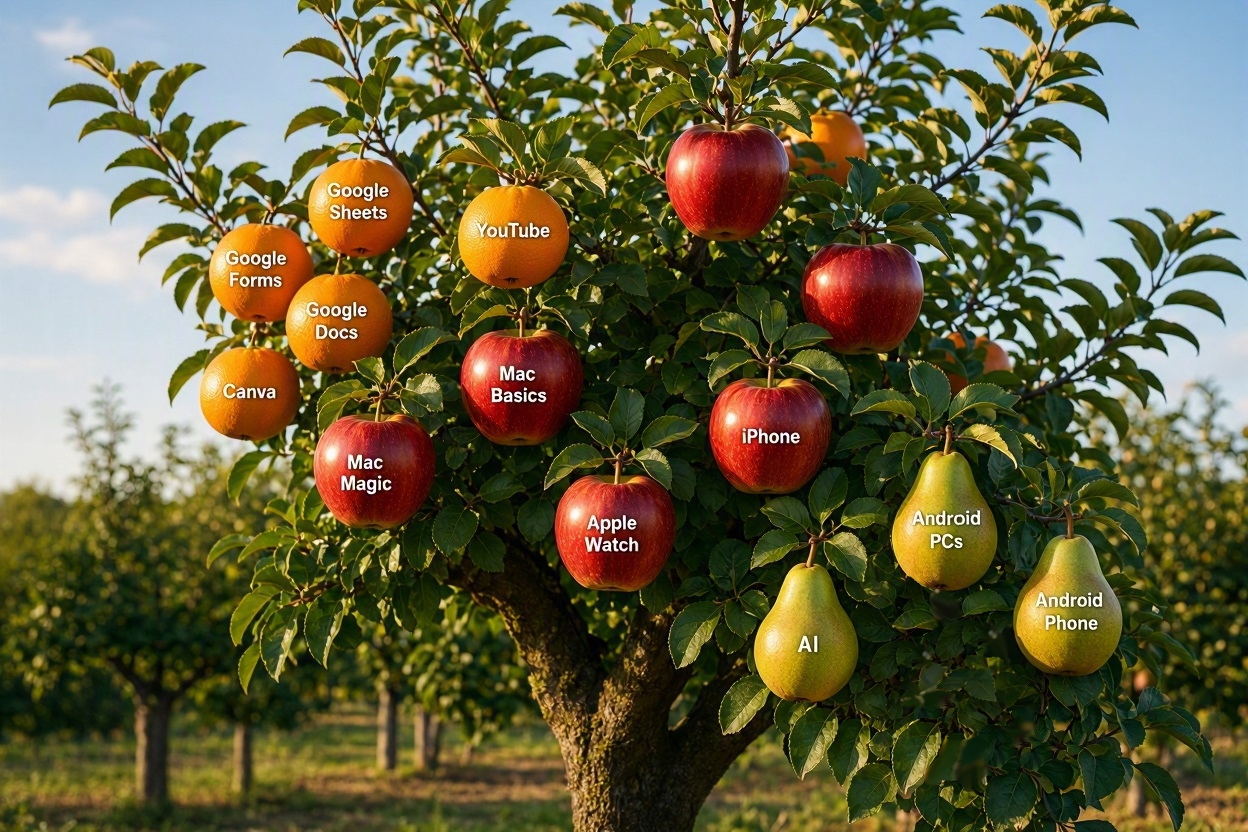
FALL REGISTRATION OPENS SEPTEMBER 13
INTRODUCTORY CLASSES
MEDIA
THE INTERNET
Classes below are listed chronologically.
YouTube
YouTube
Thursdays from 10:00 AM – 12:30 PM on Oct 8, 15
2 sessions of 2.5 hours each / $25
This course is appropriate for PC, Mac, Chromebook and tablet users.
Cute pets, a step-by-step tutorial on something you’ve been meaning to learn, a how-to video for that project you’ve been putting off, a lesson on almost any hobby or skill – whatever you’re curious about, YouTube probably has it! In this friendly introduction, we’ll walk you through how to find and comfortably watch videos at your own pace. You don’t need an account to watch, though we’ll show you what signing in adds if you’d like more.
Chromebook: Basics and More
Chromebook: Basics and More
Wednesdays & Monday from 10:00 AM – 12:30 PM on Wed Oct 21, Mon Oct 26, Wed Oct 28
3 sessions of 2.5 hours each / $35
Students are encouraged to bring their Chromebook to class or use one of ours.
Discover the essentials and the ease of using a Chromebook in this beginner friendly course. Students will learn how to navigate the interface, save and retrieve files, manage apps, browse the web, and be introduced to Google tools like Docs and Drive for productivity. Accessibility options aid seniors in personalizing the device for their needs.
Google Docs: Advanced
Google Docs: Advanced
Monday, Thursday from 10:00 AM – 1230 PM on Nov 2, 5, 12
3 sessions of 2 hours / $35
This course is appropriate for PC, Mac, Chromebook and tablet users.
A Google account is needed to complete the advanced tasks.
Google provides a complete suite of FREE Apps for word processing, spreadsheets, email, calendars and more. This class will teach you the basics of the Google Docs word processor to create and format documents. Write a letter, create minutes from a meeting, produce a newsletter; it’s all possible using Google Docs. In this advanced class, you will learn how to save, download, and share your files.
Google Forms
Google Forms
Monday from 10:00 AM – 12:30 PM on Nov 16
1 session of 2.5 hours / $15
This course is appropriate for PC, Mac, Chromebook and tablet users.
Google Forms is a hands-on introductory class designed to help confidently create and manage online forms using Google Forms. Participants learn how to build surveys, class registrations, and RSVP forms; add and organize questions; customize appearance; collect and review responses; and connect results to Google Sheets for simple record-keeping. The class emphasizes step-by-step instruction, guided practice, and practical applications relevant to community groups, clubs, and personal use, ensuring students are able to create, share, and manage their own forms.
Artificial Intelligence: Hands On
Artificial Intelligence: Hands On
Wednesdays from 10:00 AM – 12:30 PM on Nov 18
1 session of 2.5 hours / $15
There has been a lot of buzz around AI lately. But what is this latest technology craze really about? How does it work and what are the risks? Learn about the state of AI at the moment and get hands on experience using the biggest names in AI, Microsoft’s Copilot and OpenAI’s ChatGPT.
TECH HELP

Learn something new with our experienced faculty.
Perhaps you haven’t had time for a full class and just want to solve one technical problem.
We offer personalized problem solving for smartphones, tablets, laptops, and desktop computers (Mac and PC).
Just let us know what you want to learn and we’ll match you with an experienced teacher.
TECH HELP – only $20 for each hour!
Complete the TECH HELP REQUEST FORM to let us know what you are interested in learning.
Our coordinator will advise you of the next steps upon receipt of this request form.
Perhaps you haven’t had time for a full class and just want to solve one technical problem, examples are:
- How do I download a free library book to my mobile device?
- How do I get music onto my mobile device (smartphone or tablet)?
- How to organize and share photos?
- Looking for a password manager?
- Maybe you have questions about your laptop’s anti-virus program.
- How do I find my files using Window’s File Manager?
- Mobile Devices: iPhone / iPad / Android Questions
- How do I host a Zoom meeting?
- What would you like to learn? Let us know.
Students choose a specific topic to learn and get the complete attention of our faculty.
FEES
The fee for the each hour is $20 payable three business days in advance. Handouts may be included.
REFUND POLICY
Classes not canceled by giving at least one business day advance notice to the instructor are non-refundable.
REFUND POLICY
Classes not canceled by giving at least one business day advance notice to the instructor are non-refundable.
The SeniorNet Advantage
| ● Hands-on instruction | ● Individual attention | ● One student per computer |
| ● Manuals included | ● Friendly atmosphere | ● Seniors teaching seniors |